 dathent.
TikTok statistics are now in Dathent
See views, likes, comments and shares for TikTok videos you publish with Dathent, plus follower counts, in the app and in ChatGPT.
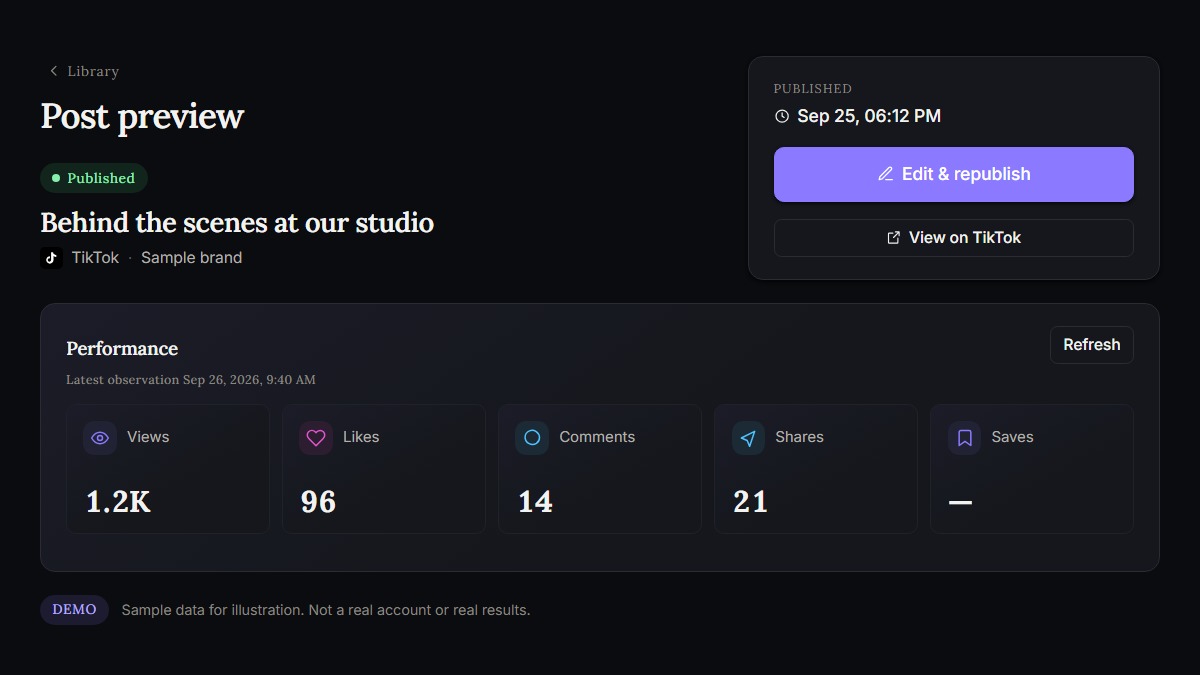
Released 26 September 2026.
You can now see how your TikTok videos are doing without leaving Dathent. The preview above uses sample data.
- Added: Views, likes, comments and shares for TikTok videos published through Dathent. They appear in Post Performance, the Library and the Dashboard, together with your TikTok follower count.
- Added: The same TikTok results in ChatGPT. Ask the Dathent app how a post performed, and its Performance view shows the numbers.
- Improved: Connected TikTok before this update? Open Settings → Connected social accounts, find the account marked “Statistics off” and choose Statistics permissions. Approve the additional access on TikTok. There is no need to disconnect or reconnect. New TikTok connections include statistics automatically.
- Added: Every TikTok video published through Dathent now has a View on TikTok link.
- Improved: Statistics refresh in the background across your connected networks, with recent posts checked more often than older ones. You can also press Refresh on any published post to request the latest numbers.
- Improved: Clearer messages when a permission is missing, such as Enable TikTok statistics. If a network is temporarily unavailable, your saved numbers stay as they are instead of dropping to zero.
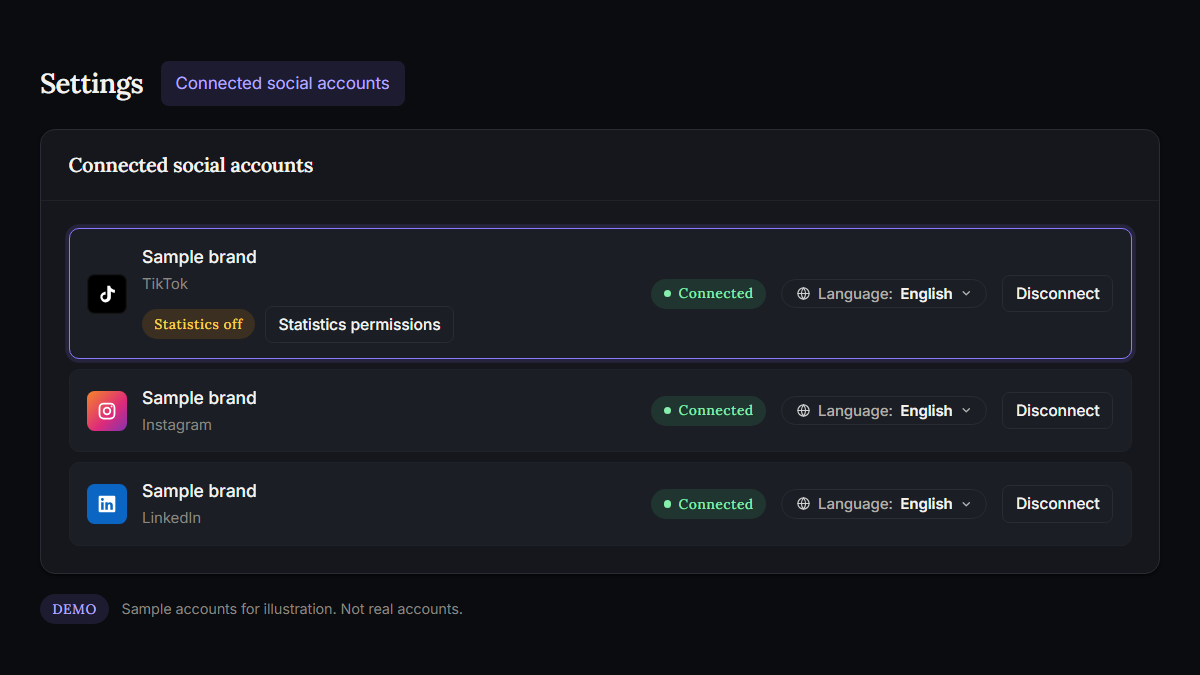
Available statistics depend on each network and your account permissions. TikTok statistics cover public videos. A dash means a figure is unavailable or has not been collected yet, not zero.